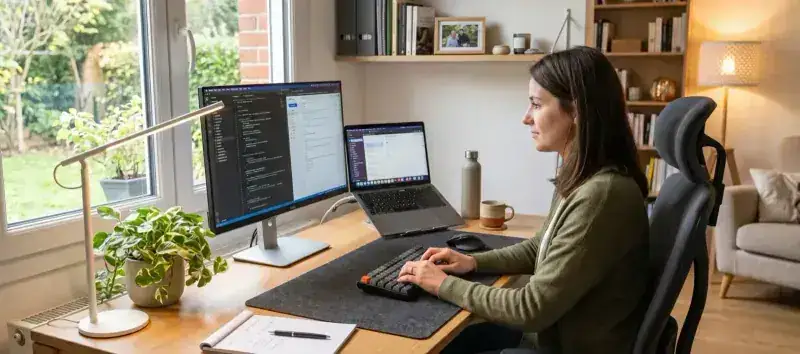
Your home office is the place where you spend most of your day. And yet, most home offices are still organized in “make-do” mode: cables everywhere, cluttered work surface, dining-room chair recycled into office chair. Result: physical fatigue, sluggish focus, and that vague feeling that something is off.
Setting up an effective home office doesn’t require a huge space or a big budget. Five well-chosen pieces are enough to turn any room into a productive, pleasant workspace.
1. A desk at the right height: the foundation
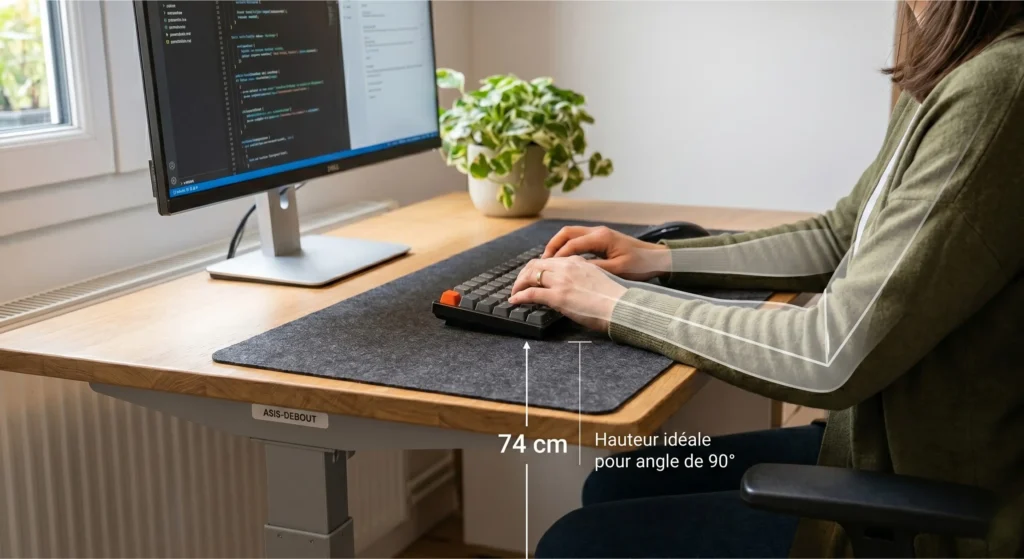
It all starts with the work surface. A desk that’s too low pushes the shoulders up and compresses the cervical spine. Too high, it strains the trapezius muscles continuously. The ideal height sits between 72 and 76 cm (28 to 30 in) for most adults: elbows form a 90° angle when hands rest on the keyboard.
If you’re using a fixed desk, check that your chair can be adjusted to reach that height. If you’re below, a footrest (even an upturned box) restores balance. Height-adjustable (sit-stand) desks are top-tier comfort if your budget allows, but not essential to start.
The desk surface: protect and organize
Once the height is set, the surface itself deserves attention. A bare wood desk scratches easily, accumulates pen marks and creates unpleasant friction for the mouse. An XXL deskmat placed across the whole work area solves all three problems at once: it protects the wood, delivers an optimal mouse glide surface, and visually unifies the space. To choose between cloth, PU faux-leather or a hard surface, our comparison of mouse pad materials for remote work breaks down the options. Our guide on the best deskmat for remote work details the options by desk profile.
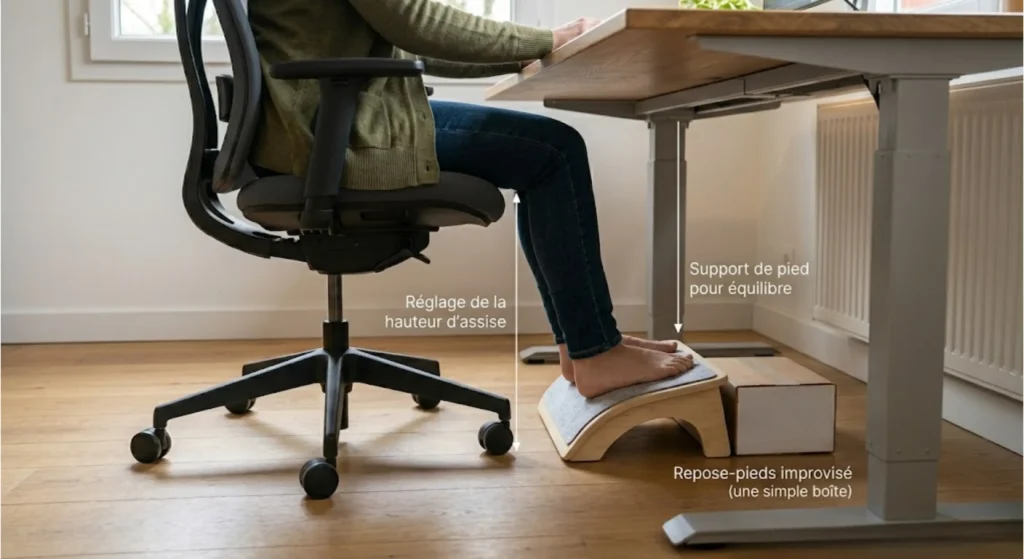
2. An ergonomic chair: the investment that really matters
If you only invest in one piece, this is the one. A bad chair causes lower-back pain, mid-afternoon fatigue, and chronic back issues over time. Conversely, a properly adjusted ergonomic chair literally disappears from your awareness after a few minutes - that’s the sign it’s doing its job.
A solid home-office chair must have, at minimum: an adjustable lumbar support, an adjustable seat depth and height-adjustable armrests. Models in the $200-400 range (Secretlab Titan, second-hand Herman Miller Aeron, Hag Capisco) deliver the best quality/durability ratio for daily 6-8 hour use.
3. Adapted lighting: protect your eyes and your focus
Lighting is probably the most underestimated factor in a home office. Light that’s too cool tires the eyes. Too warm, it puts you to sleep. A glare on the screen forces the eyes to strain constantly without you noticing.
The three-light-source rule
A well-lit desk relies on three distinct sources:
- Ambient light: general room lighting, in neutral tone (4000K). Avoids overly marked shadow zones.
- Desk lamp: directional task lighting, with intensity adjustment if possible. Positioned on the side opposite your dominant hand to avoid shadows.
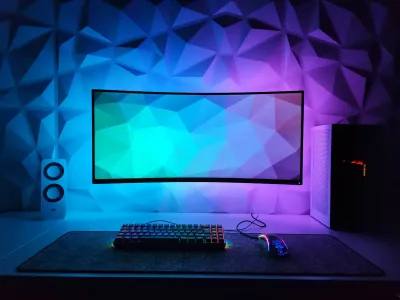
- Monitor backlight: an LED strip behind the monitor (warm light, 2700-3000K) reduces the contrast between the lit screen and the dark wall behind. Result: less eye fatigue at the end of the day.
If your desk faces a window, install slatted blinds or a sheer curtain to avoid direct glare on the screen. Natural light is great for mood but harmful as direct glare.
4. Cable management: the invisible thing that changes everything
A poorly cabled desk is visually chaotic and cognitively exhausting. Environmental psychology studies show that visual clutter raises cortisol levels and reduces focus capacity. Translation: trailing cables tire you out even when you’re not looking at them.
A few simple, low-cost solutions:
- Adhesive cable raceways (Ikea Signum, or simple adhesive clips): guide cables along the desk edge.
- Cable box: hides the power strip and chargers under the desk.
- USB hub on top of the desk: centralizes frequent connections and avoids plugging/unplugging behind the tower.
- Braided cables for visible equipment (keyboard, wired mouse): same length, same color, much cleaner visual result.
An hour spent organizing cables once and for all is one of the best hours invested in a home office.
5. A deskmat that unifies and protects: the underrated accessory
Back to the accessory that, visually, probably makes the most difference per square inch: the deskmat. Placed across the whole active zone of the desk, it brings keyboard, mouse, notepad and phone together onto a coherent, pleasant surface.
What few people realize is that a quality deskmat also objectively improves working conditions. The cloth surface reduces keyboard typing vibrations (less noise, less wrist shock), offers a soft, consistent resistance to the optical mouse, and protects the desk from equipment scratches. A monthly hand wash keeps everything in perfect shape. Our maintenance guide covers the procedure in a few minutes.
Picking a design that makes you want to work
The often-overlooked aspect of a deskmat in remote work is its psychological impact. Working on a surface that visually resonates with you - whether it’s a natural pattern, a clean Japanese design or an elegant dark background - subtly shifts the mindset you start your day with. It’s not at all superfluous: it’s exactly what well-designed offices do to boost their teams’ productivity.
The BuddyPad minimalist collections (Black & White Mountain, Wool Felt, Faux-leather) are designed precisely for this kind of use: clean, professional aesthetic, compatible with every desk configuration. For those who want a more pronounced personality, floral or Japanese collections deliver strong visual character without aggressiveness.
If you want to create a clean, visually coherent desk, our guide on the deskmat and minimalist setup covers everything. To go deeper into the choice between formats and materials, our complete guide on deskpad vs XXL mouse pad compares options based on your desk configuration.
Bonus: the small details that make the difference
Beyond the five essentials, a few simple additions significantly improve daily comfort:
- A monitor or laptop stand: raising the screen to eye height avoids neck flexion. A stack of books works as a starter.
- An external keyboard and mouse: essential if you work on a laptop. They allow you to set the computer on the stand and work in a properly ergonomic position.
- A green plant: studies show that vegetation reduces stress and improves air quality. A small plant on the corner of the desk changes the atmosphere at low cost.
- A desk organizer: for pens, post-its and small objects that otherwise invade the whole surface. A clear space = a clear mind.
Setting up an effective home office isn’t a question of budget: it’s a question of priorities and attention to the details that really matter. Start with desk height and chair, then add the five elements presented here in the order that fits your situation. The result will surprise you.
Find our complete selection of BuddyPad deskmats and XXL mouse pads to find the model that completes your home setup.