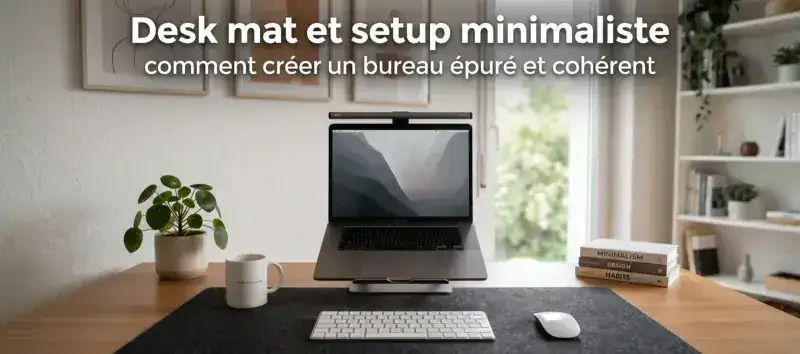
The minimalist setup has become the most-shared desk aesthetic on Pinterest, Reddit and setup communities. Clean desk, invisible cables, restrained color palette, every object in its place. But between social-media inspiration and the reality of a work or gaming desk, there’s often a gap. This guide shows how a well-chosen deskmat becomes the starting point of a coherent minimalist setup, and why it’s one of the most efficient additions in terms of visual-impact per dollar.
The deskmat as the visual foundation of a minimalist setup
In a minimalist setup, every object has to justify its presence. The XXL deskmat is one of the rare accessories that passes that test easily: it doesn’t add volume to the desk, it unifies the existing space. By replacing a heterogeneous surface (wood, cables, different materials) with a single coherent surface, it instantly creates the sense of order that defines minimalism.
That’s the logic interior designers use: a large rug in a living room doesn’t fill the space, it structures it. The deskmat plays exactly that role on your desk.
Why XXL is essential in a minimalist setup
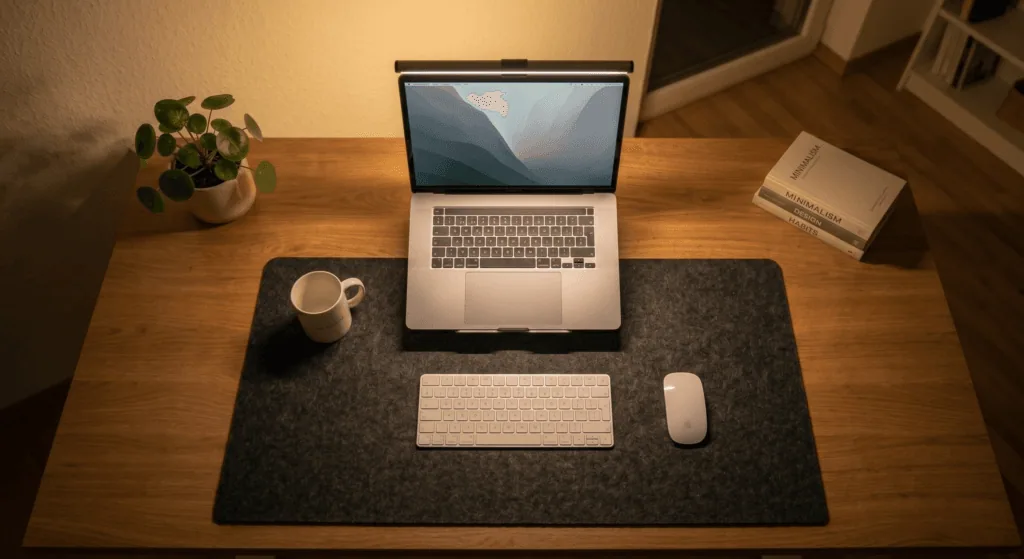
A standard mouse pad (35x45 cm / 14x18 in) isolated on a desk leaves all the surfaces visible in visual competition. An XXL deskmat (90x40 cm / 35x16 in) absorbs that competition: keyboard, mouse, notepad and accessories all rest on the same surface, creating a defined, intentional work zone. The visual effect is immediate.
For a 120-140 cm (47-55 in) desk, the 90x40 cm format is the standard. It covers 60-70% of the total surface, which is visually enough without overflowing. For wider desks (160 cm / 63 in and up), a 110x45 cm format or two deskmats side by side can be considered.
Choosing the right colors for a minimalist setup
The golden rule of minimalism: cap the palette at two or three colors maximum. On a desk setup, that usually translates into a dominant color (black, white, grey) and an accent color (natural wood, plant green, midnight blue). The deskmat must fit that palette, not contradict it.
Dark minimalist setup: black, charcoal, dark grey
The dark palette is the most used in minimalist gaming and remote-work setups. It conveys seriousness, elegance, and pairs well with black screens and mechanical keyboards. For this kind of setup, a plain black or charcoal cloth deskmat is the obvious pick: discreet, timeless, compatible with any equipment.
Dark designs with a subtle illustration, like the dark manga or bushido collections by BuddyPad, add a touch of personality without breaking the visual harmony. The pattern stays subtle from a distance and reveals itself to anyone looking closely.
Light minimalist setup: white, beige, pearl grey
The light palette, popularized by Scandinavian setups and bright home offices, creates an airy, soothing atmosphere. A deskmat in light grey or off-white cloth plays the part perfectly. Caveat: light surfaces show fingerprints faster. More frequent maintenance (two to three times a month) is recommended. Our cloth cleaning guide breaks down the procedure in a few minutes.
Minimalist setup with a touch of color
True minimalism isn’t necessarily monochrome. A well-chosen accent color: a forest green, a midnight blue, a soft terracotta. That tone can be the visual signature of the setup without overloading it. In that case, the deskmat can carry that accent color subtly, either in its background or in its illustration.
The floral collections from BuddyPad (Myosotis, Sakura, Kawaii Starry Sky) work very well in that register: they bring color organically, without the saturated tones of gaming pads. Before choosing, the material question (cloth, PU faux-leather) is also worth settling: our comparison of mouse pad materials for remote work breaks down the practical differences based on your daily use.
Organize your minimalist desk around the deskmat
Once the deskmat is down, the rest of the desk organizes around it. Here’s the three-step method to get a coherent minimalist setup. If you’re starting from scratch or fully reworking your home office, our guide on setting up a home office covers the five essentials to have in place before even choosing your deskmat.
Step 1: define the active zone
The deskmat delimits your active work zone. Everything that’s regularly used (keyboard, mouse, phone, notepad) sits on the deskmat. Everything that’s less frequent (storage, reference books) goes off the deskmat. That simple separation organizes the desk without effort.
Step 2: eliminate everything that doesn’t belong
A successful minimalist setup isn’t an empty desk: it’s a desk where every object present is there intentionally. After laying down the deskmat, ask yourself for each remaining object: “Do I use this every day?” If not, it belongs in a drawer.
Step 3: solve the cable problem
Cables are the number-one enemy of the minimalist setup. The deskmat solves part of the problem by unifying the surface, but cables hanging on the sides remain visible. The fix: adhesive clips under the desk to guide power cables, a discreet USB hub on the deskmat to centralize frequent connections. An hour of cable management is enough to transform the overall look.
The mistakes that break the minimalist aesthetic
Multiplying RGB light sources
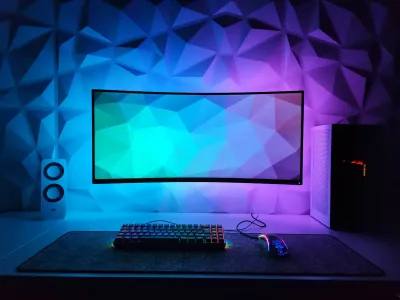
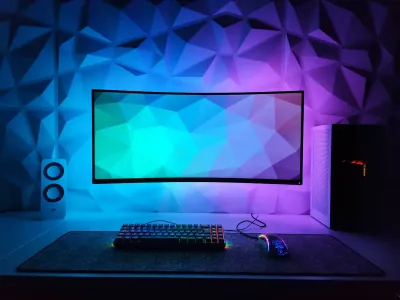
A deskmat without RGB, a keyboard without RGB, a mouse without RGB: that’s the principle of a minimalist setup. Multicolor LEDs are the antithesis of minimalism: they create movement and distraction where minimalism seeks calm. If you want ambient lighting, a warm-white LED strip (3000K) behind the screen is the most discreet and effective solution.
Choosing a deskmat that’s too small
A standard mouse pad on a large desk creates an isolated island that breaks visual coherence. That’s the most frequent mistake in minimalist-setup attempts. The deskmat must cover the whole active zone, not just the mouse zone. To understand the format differences between deskpad and XXL pad, our article deskpad or XXL mouse pad helps you make the right call based on your desk size.
Ignoring verticality
The desk is a horizontal surface, but the minimalist setup also plays in height. A monitor stand to bring the screen to eye level, a laptop stand that frees the space under the computer, a few vertical elements (a small plant, a wall organizer): without cluttering, they give depth to the whole.
Minimalist deskmat and remote work: a winning combo
The minimalist setup isn’t only an aesthetic question. Environmental psychology studies show that a clean workspace reduces cognitive load and improves focus. In remote work, where the line between living space and workspace is often blurry, creating a visually distinct, structured desk helps the brain switch into “work” mode more effectively.
The deskmat plays a concrete role in that separation: it physically and visually delimits the work zone. When you cover it at the end of the day or stack the gear on it, it’s a spatial signal that the workday is done.
To find the deskmat that exactly fits your desk profile, check our selection of best deskmats for remote work sorted by use case and budget.
Explore our complete collection of BuddyPad XXL deskmats to find the design that becomes the visual foundation of your minimalist setup.