Cleaning an RGB pad without damaging the LEDs: complete guide
RGB pads have become essential for gamers and high-tech setup fans, but their maintenance raises a key question: how to clean them without damaging the integrated electronic components? Users worry that moisture, chemicals or aggressive friction will damage the LEDs, circuits or connection cables. This guide gives you the best practices to keep your RGB pad in perfect condition while preserving the integrity of its electronic components.
Understanding RGB pad structure for better maintenance
Sensitive components to protect
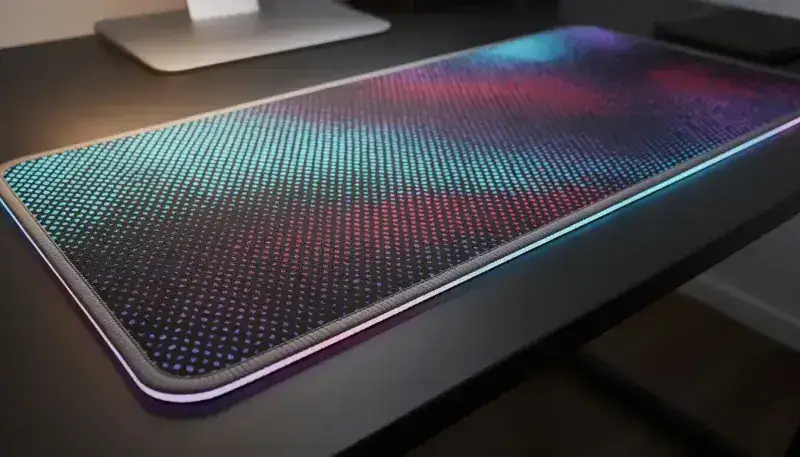
An RGB pad contains several fragile elements you need to understand before any intervention. The LEDs are usually integrated in an intermediate layer between the upper cloth and the rubber base. The integrated circuits that control the lighting and synchronization with your devices are often near the USB connector. These solder zones and connectors are particularly vulnerable to moisture and aggressive chemicals.
The pad’s main material generally combines high-density cloth for the surface, non-slip rubber for the base, and plastic for the electronic enclosures. Each of these materials reacts differently to cleaners and moisture. Water and electricity don’t mix: moisture can create short circuits and irreversibly damage the capacitors.
Enemies of the RGB pad
Excessive moisture is the worst enemy of your RGB pad. It seeps into gaps and can cause circuit oxidation in just a few days. Aggressive chemicals like isopropyl alcohol, bleach or industrial cleaners can dissolve the protective varnish on PCBs and corrode the electrical contacts.
Excessive friction prematurely wears the cloth and risks detaching the LEDs from their supports. Dust accumulating between LEDs can reduce brightness and create hot spots that damage electronic components. Regular maintenance prevents these problems much better than occasional intensive cleaning.
Preparation before cleaning
Essential safety steps
Before you start, completely unplug the pad from USB power. This step is non-negotiable. Then wait 5 minutes to let the capacitors fully discharge. Even without power, residual charges can persist and cause damage during cleaning.
Check for visible damage: cracks, discoloration, wet zones or unusual smells. If you detect issues before cleaning, you’ll know whether the final result is due to cleaning or a pre-existing defect. This initial diagnostic step is crucial to identify zones needing particular attention.
Recommended equipment for safe cleaning
Use a dry, lint-free microfiber cloth as the base of your cleaning kit. Microfiber cloths capture dust and residue without leaving fibers behind. A soft natural-bristle brush gives access to hard-to-reach areas without scratching components. A vacuum with a brush nozzle on low-power mode removes dust without significant electrostatic risk.
For cleaning products, distilled water is your best ally because it contains no minerals that could leave conductive residue. Diluted white vinegar (1 part vinegar to 10 parts water) offers mild antiseptic properties. Strictly avoid isopropyl alcohol, bleach, multi-purpose cleaners and aggressive products that damage circuit protective varnishes.
Cleaning techniques by dirt type
Cleaning surface dust
To remove daily dust, use the vacuum on very low power, keeping the nozzle a few millimeters from the pad. Then run the dry microfiber cloth in gentle circular motions, focusing on the zones between LEDs where dust easily accumulates. This weekly operation prevents buildup and keeps your pad in excellent shape.
Removing stains and residue
Lightly dampen the microfiber cloth with distilled water or diluted white vinegar - never the pad directly. Gently dab stained areas without rubbing. Let dry at least 30 minutes before reconnecting. Distilled water is preferable because it evaporates completely without leaving conductive minerals.
Treating tough stains
For sticky residue, use a soft brush to gradually loosen them. Always apply the cleaning product to the cloth, never directly on the pad. Avoid connection zones and LEDs during this operation. Let dry completely - at least 1 hour - before putting the pad back in service.
Critical zones to clean carefully
Connectors and cables
Never apply liquid directly on USB connectors or wiring zones. If needed, use a slightly damp cotton swab to gently clean. Check for absence of green or white corrosion on copper contacts. Oxidation can reduce connection quality and create intermittent malfunctions.
LED zones
Clean around the LEDs, not directly on them. Use a very soft cloth and avoid any aggressive chemical product. After cleaning, verify proper functioning of each zone by testing the different lighting modes. A failing LED after cleaning indicates moisture infiltration or mechanical detachment.
The pad’s underside
Regularly vacuum the underside to avoid dust buildup that can reduce thermal dissipation. Use only a dry cloth for this zone. Check that the stabilization feet aren’t damaged or unstuck, as they ensure good ventilation under the pad.
Drying and putting back in service
Safe drying protocol
Air-dry at least 2 hours in a horizontal position. Avoid direct sunlight which can fade the cloth. Don’t place the pad near a heat source like a radiator or hairdryer. Check the absence of moisture by touching different zones before reconnecting.
Function test
Reconnect progressively and check that all LEDs light up correctly. Specifically test the zones you cleaned intensely. Any malfunction (dead LEDs, flicker, sync loss) must be reported immediately to determine whether the issue is cleaning-related.
Preventive maintenance to extend lifespan
Daily habits
Clean your hands before using the pad to avoid transferring sweat and residue. Avoid eating or drinking near your setup. Use a protective cover if you plan a prolonged inactivity period. Prevention is always more effective and less expensive than repair.
Scheduled regular cleaning
Run a light weekly clean, a thorough monthly clean, and a quarterly inspection of connectors. This regular maintenance schedule keeps your pad in perfect shape and lets you detect problems before they get worse.
Storage and protection
Store the pad flat in case of prolonged non-use. Avoid humid or too hot zones that accelerate component degradation. Protect from direct UV rays which can fade the cloth. A specialized protective cover significantly increases your equipment’s lifespan.
Common mistakes to avoid
Cleaning pitfalls
Never submerge the pad in water, even partially. Avoid hairdryers or any direct heat source that can damage LEDs and circuits. Don’t aggressively scrub LED zones. Don’t apply untested chemicals on electronic components. These mistakes often cause irreversible damage.
When to call a professional
If you observe a malfunction after cleaning, significant water damage, visible corrosion on connectors, or LED function loss, consult a professional. Complex electronic repairs go beyond the scope of home cleaning.
Optimal maintenance of your gaming pad
To go further in maintaining your peripherals, check our complete mouse pad maintenance guide covering the best cleaning and durability practices applicable to all your gaming accessories.
If you’re looking for complete solutions for your setup, discover our gaming mouse pad lineup designed for durability and performance. BuddyPad also offers a varied selection in our complete catalog for all your gaming accessory needs.
Conclusion
Cleaning an RGB pad isn’t complicated if you respect the basic principles: unplug before any intervention, use gentle non-corrosive products, and let dry completely. By following this guide, you’ll preserve the beauty and functionality of your pad for years. Regular maintenance prevents problems much better than occasional intensive cleaning. Adopt these habits now and fully enjoy your gaming RGB pad without fear of damaging it.