RGB gaming mouse pads: why lighting changes everything about your setup
You’ve invested in a high-end graphics card, a 144 Hz monitor and a backlit mechanical keyboard - but your desk still lacks that visual cohesion that makes all the difference. The RGB gaming mouse pad is often the missing piece of the puzzle. Far more than an aesthetic accessory, it plays a central role in ergonomics, mouse tracking precision and the overall atmosphere of your setup. At BuddyPad, we’ve found that gamers and content creators who adopt an RGB mouse pad report significantly higher overall satisfaction with their workspace. In this article, we guide you through choosing the right model, understanding the technology and avoiding common mistakes.
What an RGB gaming mouse pad actually brings to your setup
You might think RGB lighting is purely about style. In reality, a good RGB gaming mouse pad combines several essential functions that go far beyond aesthetics.
A high-precision gaming surface
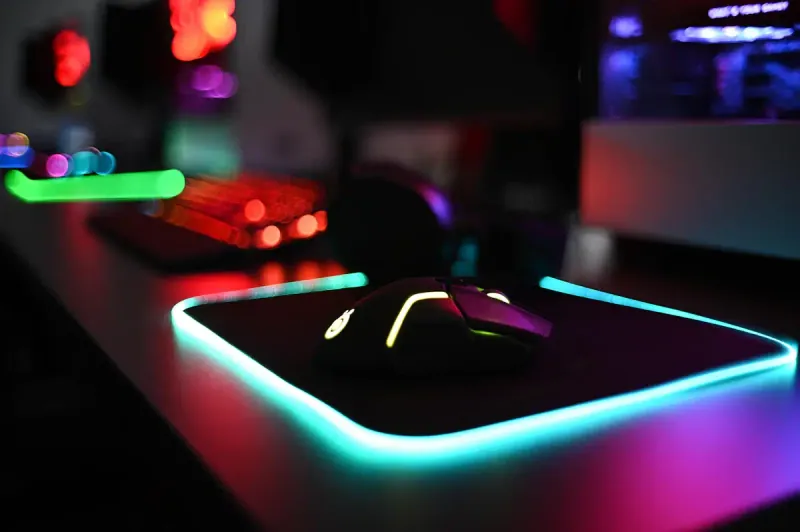
The surface of an RGB mouse pad is typically made from high-density microfiber cloth or hybrid material. These surfaces offer controlled friction coefficients, compatible with both laser and optical sensors. Tracking precision is not affected by the lighting - LEDs are integrated around the perimeter or edge, never beneath the gliding surface.
Ambient lighting as a productivity lever
Several studies on work environments suggest that coherent ambient lighting reduces eye strain during long sessions. An RGB mouse pad set to a warm, soft light in the evening can thus contribute to better visual comfort. It’s a detail often underestimated when optimizing a setup.
A well-lit setup isn’t just beautiful - it’s a setup designed to last for hours without fatigue.
How to choose your RGB gaming mouse pad: essential criteria
The market offers dozens of models. To avoid getting lost, here are the 4 decisive criteria to evaluate before any purchase.
Size: XXL or standard?
The current trend clearly favors the XXL format (900 x 400 mm and larger), which covers both mouse and keyboard. This format is ideal if you play at low DPI (between 400 and 800 DPI) and make large arm movements. For high DPI players or compact desk configurations, a medium format (350 x 250 mm) may suffice.
RGB connectivity: dedicated USB or integrated hub
All RGB mouse pads require a USB connection to power the LEDs. Check that your PC has an available USB port and that the cable is long enough (minimum 1.8 m). Some high-end models include a USB hub, which is a real advantage for centralizing your peripherals.
Compatibility with RGB sync software
Synchronization with ecosystems like Razer Chroma, iCUE (Corsair) or ASUS Aura Sync is a significant plus. It allows you to harmonize lighting effects across all your peripherals from a single software. Before buying, verify compatibility with your existing setup. To help you, our comparison article will let you compare the best brands on the market in a clear and objective way.
The best RGB formats and models in 2026
At BuddyPad, we regularly test market releases to provide reliable and up-to-date recommendations. In 2026, several trends are clearly emerging:
- Double-sided mouse pads (speed cloth on one side, control on the other) with integrated RGB are gaining ground
- Models with integrated wireless charging (Qi) appeal to minimalist setups
- Stitched rubber edges are progressively replacing glued finishes, which are much more durable
For a reliable overview tested in real conditions, check out our selection of the best gaming mouse pads on the market. You’ll find detailed reviews with objective criteria: durability, precision, lighting quality and value for money.
If you want to explore other topics related to gaming setups and peripherals, our blog brings together all our guides and comparisons.
Maintaining your RGB mouse pad: what many neglect
A poorly maintained RGB mouse pad quickly loses performance - clogged surface, altered glide, and in the worst case, water infiltration in the LEDs. Yet, a few simple steps are enough to preserve your investment long-term.
Mistakes to absolutely avoid
- Immersing the pad in water: LEDs and the USB cable are not waterproof
- Using harsh chemical products (pure alcohol, concentrated detergents)
- Drying the pad with a hairdryer at high temperature, which warps the rubber base
The proper cleaning method
Hand cleaning with a slightly damp microfiber cloth and a few drops of mild soap is the recommended method. Let it dry flat, USB cable disconnected, for at least 24 hours. For a complete and safe guide, follow our dedicated advice for maintaining your RGB mouse pad without damaging the LEDs.
Frequently asked questions
Does an RGB mouse pad affect mouse performance?
No, RGB lighting is integrated around the perimeter of the pad and does not interfere with the gliding surface. Modern optical and laser sensors are not disturbed by LEDs, your precision remains intact.
Can you turn off the LEDs without unplugging the pad?
Yes, most RGB gaming mouse pads have a physical button or an option in the associated software to disable the lighting while keeping the surface active and the cable plugged in.
What lifespan can you expect for an RGB mouse pad's LEDs?
LEDs integrated in high-end gaming mouse pads are typically guaranteed for 50,000 hours of operation, meaning several years of intensive use without replacement needed.
Conclusion: take it to the next level with the right RGB mouse pad
A well-chosen RGB gaming mouse pad transforms your desk into a true gamer cockpit - without compromising performance. From size to software compatibility, every criterion counts. At BuddyPad, we only select models that combine surface quality, durability and controlled lighting. Ready to light up your setup? Discover the BuddyPad selection and find the ideal mouse pad for your configuration, gaming style and budget.