LED Mouse Pads: Ambiance and Performance
The Lighting That Changes Everything About Your Setup
Looking to give your desk a new dimension without investing in a complete equipment overhaul? The LED gaming mouse pad is now one of the most sought-after accessories by gamers and PC setup enthusiasts. And for good reason: in just seconds, it visually transforms an ordinary space into a true gaming cockpit. But beyond aesthetics, these pads also offer concrete advantages in terms of comfort and precision. At BuddyPad, we’ve selected and tested several dozen models to help you make the right choice. In this article, we explain why a light-up mouse pad deserves a real place in your setup - and how to choose the one that truly fits you.
What an LED Mouse Pad Really Is
An Accessible and Mature Technology
An LED mouse pad integrates an RGB light strip along its edges, powered via a USB cable. Contrary to popular belief, this technology is now reliable, low-power, and compatible with virtually all PC configurations. The LEDs used are typically SMD (Surface Mounted Device) type, ensuring homogeneous light diffusion around the entire perimeter of the pad.
Formats for Every Setup
Available models cover a wide range of dimensions:
- M format: approximately 30 x 25 cm, ideal for small desks
- L format: 40 x 35 cm, the versatile standard
- XXL format: up to 90 x 40 cm, to accommodate both keyboard and mouse on a single surface
At BuddyPad, we’ve found that XXL formats with LED backlighting are particularly popular with FPS gamers and creative professionals who spend long hours in front of their screens. This format covering the entire work area creates a highly appreciated visual coherence.
An XXL RGB mouse pad provides up to 90 cm of unified glide space - a real difference in terms of freedom of movement.
RGB Ambiance: Much More Than a Visual Effect
Synchronization, Key to a Cohesive Setup
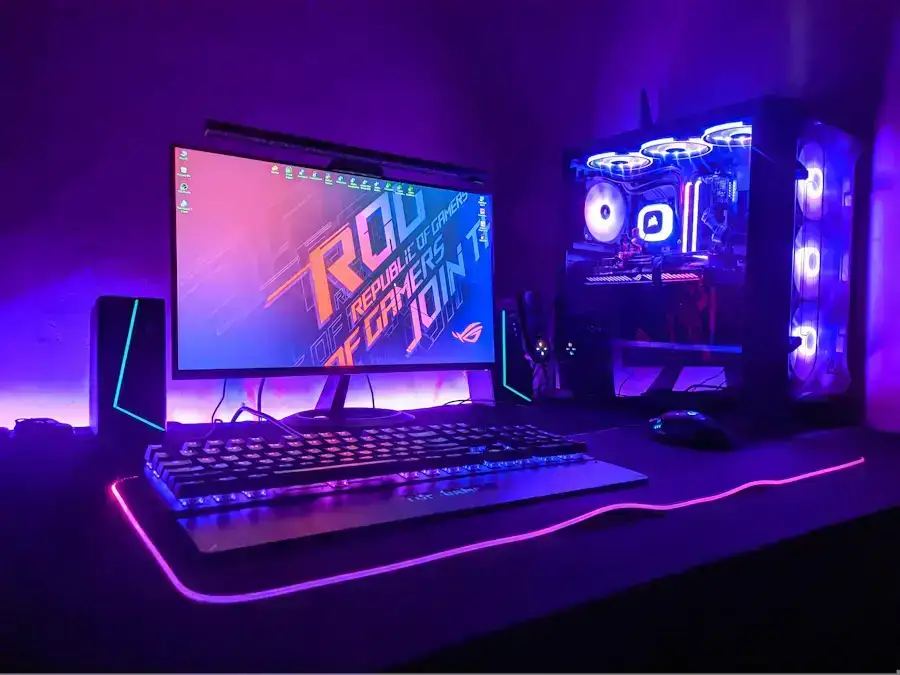
One of the major assets of a gaming LED mouse pad is its ability to integrate into a synchronized RGB ecosystem. Most high-end models are compatible with software like Aura Sync (ASUS), Mystic Light (MSI), or iCUE (Corsair). You can thus match your pad’s lighting with your keyboard, mouse, and even your case fans.
To go further on this topic, we recommend checking out our dedicated article on RGB gaming mouse pads, which details the best lighting modes and software compatibilities.
The Psychological Impact of Light
Studies in cognitive ergonomics show that indirect, colored lighting can reduce eye strain during extended sessions by softening the harsh contrast between a lit screen and a desk plunged in darkness. An LED mouse pad positioned under ambient lighting sources acts as passive bias lighting, particularly beneficial during nighttime sessions.
Performance and Surface Quality: The Foundation Matters as Much as the Form
Glide Surface and Optical Precision
A light-up mouse pad should not sacrifice performance for aesthetics. The best models feature a micro-textured cloth surface optimized for high-precision optical sensors (up to 25,600 DPI). The weave density directly influences tracking consistency - a crucial parameter in competitive gaming.
Speed surfaces (smooth, for quick movements) and Control surfaces (resistant, for precision) are now available in backlit versions. You no longer have to choose between lighting and performance.
The Durability of Light-Up Edges
The historical weak point of LED mouse pads remains the junction between the cloth and the light strip. On budget models, this area frays quickly. At BuddyPad, we’ve found that models with reinforced perimeter stitching around the LED module resist daily wear much better - even with intensive use.
To know what to look for before buying, check out our comprehensive guide on how to choose your mouse pad, updated for 2026.
Maintenance and Durability: Protecting Your Investment
Cleaning Without Damaging the LEDs
A light-up mouse pad requires some maintenance precautions that a standard model doesn’t. The LED module and its USB cable are the sensitive areas to absolutely preserve. Never fully immerse the pad, nor use aggressive chemicals near the illuminated edges.
Recommended best practices:
- Regular wiping with a slightly damp microfiber cloth
- Monthly deep cleaning with lukewarm water and mild soap, avoiding LED edges
- Flat drying, never in a washing machine
We’ve written a detailed guide to walk you through it step by step: discover how to maintain your LED mouse pad without risking LED damage.
Lifespan and Warranty
The SMD LEDs used in the best pads display a theoretical lifespan of 50,000 hours - over 5 years at 8 hours of daily use. A compelling argument for considering this accessory as a long-term investment, not an ephemeral gadget.
Frequently Asked Questions
Does an LED mouse pad consume a lot of energy?
No, power consumption is very low: most models use between 1 and 3 watts, equivalent to a standard decorative LED. It's powered via USB and has no measurable impact on your electricity bill.
Can you use an LED mouse pad without turning on the lighting?
Yes, absolutely. The backlighting is entirely optional and can be disabled at any time via the integrated button or RGB synchronization software. The glide surface remains perfectly functional, whether the lighting is on or off.
Are LED mouse pads compatible with wireless mice?
Yes, the surface of an LED mouse pad is identical to that of a standard pad and generates no interference with wireless mice, whether they use Bluetooth or a 2.4 GHz USB receiver.
Conclusion: Light Up Your Setup, Elevate Your Experience
An LED mouse pad is much more than a simple visual effect - it’s an accessory that combines ambiance, setup coherence, and daily comfort. Whether you’re a demanding gamer or simply passionate about a well-designed desk, there’s a model suited to your needs. Find all our additional tips on our blog and discover the BuddyPad selection now to find the ideal pad that will illuminate your setup - and boost your gaming sessions.