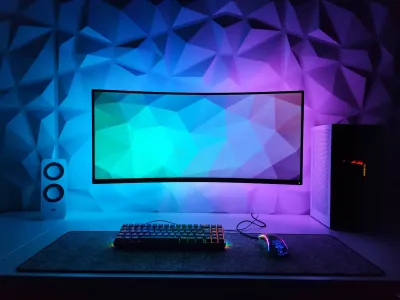
RGB is one of the most divisive topics in the gaming world. On one side, people who wrap every component of their setup in a glow of light. On the other, people who find it pointless and gaudy. So when the subject turns to an RGB mouse pad, the question comes up naturally: is it actually useful, or just a gimmick sold at a premium?
The honest answer is: both, depending on what you expect from your setup.
What RGB Genuinely Brings
Let’s start with what RGB actually does well, without overselling it.
The visual ambiance is real. An RGB pad glowing behind your setup creates subtle accent lighting that softens the contrast between the screen and the surrounding darkness. It’s less tiring on the eyes than playing in total darkness with a single lit screen. This isn’t a placebo effect: reducing the brightness contrast between the source and its environment objectively lowers eye strain over long sessions.
Setup personalization. A gaming desk is a space you build around your identity. The pad takes up a large visual area - often 90x40 cm or more. When it’s lit in harmony with the rest of the setup (keyboard, headset, case), the result looks cohesive and polished. It’s the same principle as a well thought-out interior design.
Visibility during late-night sessions. If you play at night with no light in the room, the LEDs built into the edge of the pad act as a visual cue to instantly find where your mouse is. Minor, but real.
What RGB Doesn’t Do
Let’s be clear about where the marketing overstates things.
RGB doesn’t improve performance. The gliding surface, the density of the cloth, the thickness of the rubber - that’s what actually influences your accuracy. The LEDs are built into the edges or underneath the surface, they never touch the mouse feet and have no effect on tracking. A good non-lit pad will always beat a poor-quality RGB pad.
RGB doesn’t justify any price. Some manufacturers mark up their RGB models by 20 to 40 % compared to an equivalent model without lighting. If the surface is identical, the extra cost is purely cosmetic. Compare the specs (thickness, cloth type, rubber base) before you decide.
Syncing is often frustrating. Most RGB pads require proprietary software to sync colors with the rest of the setup. This software can be heavy, unstable, or incompatible across brands. If you mix different brands, expect to spend time on configuration - or to give up on syncing altogether.
When RGB Is Really Worth It
There are situations where investing in an LED or RGB mouse pad is a sensible decision.
You stream or create content. On a webcam or a camera, RGB creates a professional, distinctive visual look. Viewers notice a polished setup. If your desk is in frame, a lit pad contributes to your channel’s brand image.
Your setup is already RGB-consistent. If you already have a lit keyboard and headset, adding a pad from the same brand with the same palette creates a visual harmony that elevates the whole investment.
You often play in the dark. The side lighting on the pad delivers real visual comfort during long night-time sessions.
The Special Case of RGB With Wireless Charging
This is where RGB becomes genuinely functional. The models in our LED RGB with wireless charging collection include a Qi charging surface compatible with most smartphones and earbuds. RGB is no longer just an ornament: the pad becomes an active desk hub.
The combination of an optimal gliding surface + accent lighting + wireless charging, all through a single USB cable, is hard to match with separate accessories. It’s the strongest argument in favor of RGB on a mouse pad.
Our Verdict
RGB on a mouse pad is a real plus for ambiance and visual comfort, but no benefit at all for raw performance. If your only priority is competitive play, a quality pad without LEDs will do the job just as well or better for less.
If you’re building a setup you’re proud of, spend long hours at your desk, and aesthetics matter in your daily life - RGB is far from a gimmick. It’s a perfectly legitimate choice of comfort and identity.
Check out our full selection of BuddyPad LED and RGB mouse pads to find the model that matches your setup and your usage.
Frequently Asked Questions
Does RGB use a lot of power?
No. LEDs draw between 1 and 3W in normal use, which is negligible on a yearly electricity bill. The impact is close to zero.
Does an RGB mouse pad get hot and damage the desk?
No, LEDs give off almost no heat. The rubber base of the pad protects your desk just like any regular mouse pad.
Can you turn off the RGB without unplugging the pad?
Yes. The vast majority of RGB pads have a button or a keyboard shortcut to switch off the lighting, or let you disable the LEDs through the manufacturer's software.