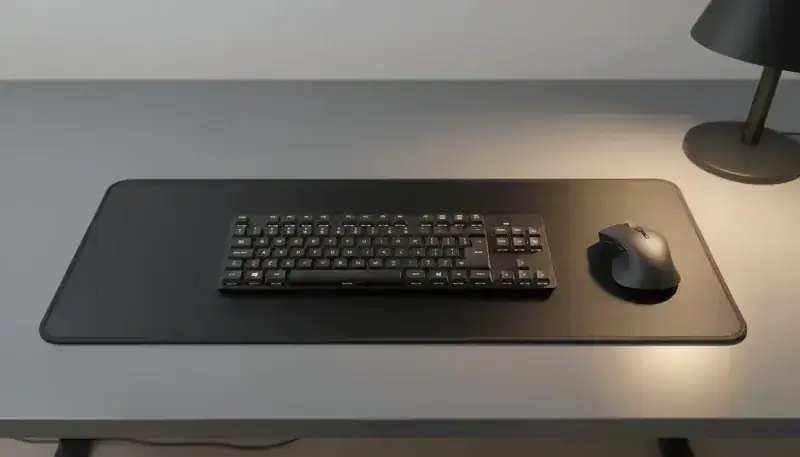
Mouse pad cleaning frequency: the complete guide
A dirty mouse pad accumulates dust, bacteria and residue that degrade your mouse accuracy and slow your performance. Most users have no idea how often to clean their gear, which shortens its lifespan and hurts workspace ergonomics. Discover the optimal cleaning schedule and the best practices to keep your mouse pad in perfect shape.
Why clean your mouse pad regularly
Impact on accuracy and responsiveness
Dust buildup directly interferes with your mouse’s optical sensors. It causes tracking lag and a loss of accuracy that’s particularly problematic in gaming or graphic work. If you use a pro pad like the ones in our gaming mouse pad selection, keeping it clean guarantees optimal performance.
Hygiene and health
Your mouse pad is a real bacteria and dust mite hub. Microorganism proliferation creates allergy risks, skin irritations and organic residue buildup. The issue becomes critical in shared spaces or collective work environments where hygiene is paramount.
Extending the pad’s lifespan
Regular cleaning prevents premature wear and maintains the non-slip properties of your pad. This simple maintenance generates substantial long-term savings by avoiding frequent replacements.
Recommended cleaning frequency by use
Intensive use: gaming and graphic design
If you use your pad daily for gaming or graphic design, weekly cleaning is recommended. The fast accumulation of dust and sweat requires a visual inspection twice a week. Intensive users will notice a real responsiveness difference after each clean.
Standard professional use
For classic office work, a bi-weekly clean (every two weeks) is enough, with a monthly inspection. However, adjust this frequency if your office is particularly dusty or aggressively air-conditioned.
Light and occasional use
A monthly clean is enough for occasional users. Add a quarterly inspection and adapt to the environmental conditions of your workspace.
Factors influencing cleaning frequency
- Dusty or heavily air-conditioned environment
- Pets nearby
- Office relative humidity
- Pad material: cloth vs rubber
- Ambient temperature
- Workspace ventilation
Cleaning methods by pad type
Cloth pad
Start with a light vacuum using a soft brush to remove surface dust. Run a wet clean with lukewarm water and diluted mild soap. Complete drying is crucial: wait at least 24 hours before reusing the pad. Strictly avoid aggressive chemical products that would damage the fibers.
Rubber or foam pad
Prefer dry cleaning with a microfiber cloth for light dirt. For stubborn stains, use mild soapy water and wipe quickly to prevent moisture from penetrating the material. Regularly inspect the edges and wear areas that may warp.
Premium and specialized pads
High-end pads like those in our BuddyPad catalog often benefit from specialized treatments. Follow the maker’s specific recommendations and use only recommended products to preserve those treatments. Check our complete mouse pad maintenance guide for detailed instructions by model.
Signs of an urgent cleaning need
Visual indicators
Watch your pad regularly. Visible discoloration, persistent stains, obvious dust buildup or sticky/pasty residue signal an immediate cleaning need. Wear zones or fraying edges also indicate deterioration.
Performance indicators
Your mouse glides badly or catches? The optical sensor flickers or shuts down? Movements become jerky or unpredictable? Latency increases noticeably? These symptoms point to dirt buildup affecting performance. Immediate cleaning will usually restore responsiveness.
Health indicators
A bad smell, mold appearing or increased allergies during use are warning signs. A damp or moist pad needs full drying and deep cleaning to eliminate health risks.
Annual maintenance schedule
Monthly cleaning
Run a light vacuum, dry-cloth wipe-down and general inspection. This simple routine keeps your pad in good shape without massive effort.
Quarterly deep clean
Four times a year, do a complete wet clean. Check edge and seam integrity. Test mouse performance to confirm everything’s working.
Annual review
Once a year, assess the overall state of your pad. Decide whether replacement is needed. Compare with new models available in our mouse pad collection to benefit from the latest comfort and durability innovations.
Common mistakes to avoid
Excess moisture
Excess moisture causes mold, material warping and grip loss. Always fully dry your pad after wet cleaning.
Using inappropriate products
Aggressive solvents, bleach, pure alcohol or abrasive products irreversibly damage fibers and specialized treatments. Stick to lukewarm water and mild soap.
Insufficient drying
Using a damp pad encourages bacterial proliferation and causes internal damage. Wait for full drying before reusing your gear.
Prolonged neglect
Excessive dirt buildup causes irreversible degradation and forces premature replacement. Regular maintenance prevents this situation.
Conclusion
A regular clean - weekly to monthly depending on your use - guarantees optimal performance, flawless hygiene and maximum lifespan for your mouse pad. Discover our complete BuddyPad mouse pad lineup, designed to make maintenance easier and maximize durability. For personalized advice and maintenance tailored to your gear, check our complete mouse pad maintenance guide covering all aspects of upkeep.