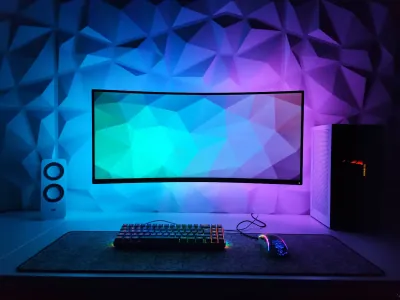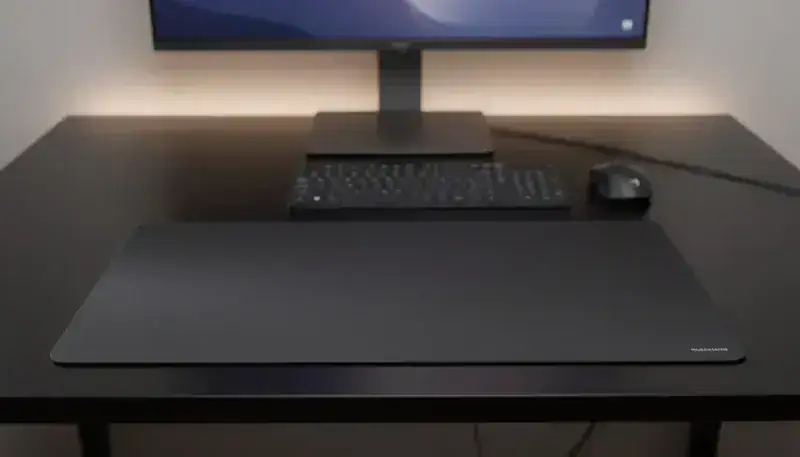
You’ve seen flawless gaming setups on Reddit or TikTok with a large pad covering the whole desk? That’s a deskpad or an XXL mouse pad depending on the vocabulary you use. Two terms, one reality: an accessory that’s become essential in 2026, both for gamers and remote workers.
In this complete guide, we explain the real difference between a deskpad and a classic mouse pad, what size to pick based on your desk, and we share a selection of the best models on the US/UK market with the BuddyPad products that camp at the top.
Deskpad vs mouse pad: real difference or just marketing?
Let’s be honest: the line is blurry. In practice, here’s how to tell them apart:
| Criterion | Classic mouse pad | Deskpad / XXL pad |
|---|---|---|
| Size | 25x20 cm to 45x40 cm (10x8 to 18x16 in) | 60x30 cm to 120x60 cm (24x12 to 47x24 in) |
| Main use | Mouse zone only | Mouse + keyboard + accessories |
| Aesthetic | Functional | Setup & desk decoration |
| Target audience | Competitive gamers | Gamers + remote workers + creators |
| Average price | $15-35 | $30-80 |
Bottom line: a deskpad is an XXL mouse pad that covers a large portion of the desk. The term “deskpad” comes from the English-speaking gaming and setup world, while “large mouse pad” or “XXL mouse pad” is the natural vocabulary in many markets. Both refer to the same product category.
Why adopt a deskpad in 2026?
The trend of large desk pads isn’t a passing fad. It addresses real needs that millions of users feel:
For gamers: more amplitude, more accuracy
If you play FPS like Valorant, CS2 or Apex Legends with low mouse sensitivity, you need space. An XXL mouse pad (at least 80x35 cm / 31x14 in) lets you do wide arm movements without ever running off the pad mid-action - which eliminates the micro-frustrations that cost rounds.
For everything you need to know on the technical criteria before buying, check our guide: how to choose the best mouse pad in 2026.
For remote workers: a clean, professional desk
A deskpad unifies the desk visually: keyboard, mouse, phone and notepad all rest on the same surface. The result is a workspace that’s both more aesthetic and more comfortable - the wrist glides softly everywhere, not just under the mouse. For those who spend 8+ hours a day in front of a screen, that’s real ergonomic comfort.
For content creators and streamers
The aesthetic gaming setup has become a norm on Twitch and YouTube. A large pad with a curated color or design contributes directly to the creator’s visual brand. Viewers notice - and so do brands.
What size deskpad to pick? The format guide
That’s the number-one question buyers ask. Here’s the format table with our concrete recommendations:
Size S: up to 45x40 cm / 18x16 in - the standard mouse pad
For: competitive “high-sens” gamers (high mouse sensitivity), very compact desks (less than 100 cm / 40 in wide), mouse-only use. Pro: lightweight, easy to carry, compatible with every setup. Con: zero “deskpad” aesthetic benefit, the keyboard stays on bare wood.
Size M: 60x30 cm to 70x35 cm (24x12 to 28x14 in) - the versatile format
For: gamers of all sensitivities, remote workers with a 110-130 cm (43-51 in) desk, students. Pro: covers the mouse zone + a compact 65% keyboard, the best footprint/benefit ratio. Con: can be tight for a 100% keyboard + mouse with wide movements.
Size L: 80x35 cm to 90x40 cm (31x14 to 35x16 in) - the real gaming pad
For: low-sens FPS gamers, MOBA/RTS players, remote workers with a 130-160 cm (51-63 in) desk. Pro: total freedom of movement, full-size keyboard comfortably integrated, premium visual look. Our pick: This is the star format for 70% of US/UK desk configurations.
Size XL: 90x45 cm to 120x60 cm (35x18 to 47x24 in) - the full deskmat
For: streamers and content creators, wide desks (160 cm / 63 in and up), dual-screen setups with two keyboards, smart-home and gaming-collection enthusiasts. Pro: covers the entire desk - maximum “pro setup” feel, protects the desk surface. Con: bulky to store, more expensive, requires a desk that’s big enough.
💡 BuddyPad tip: measure the usable width of your desk (subtracting the edges where nothing rests). Pick a pad that covers 80-90% of that width - it’ll look perfectly proportioned visually.
Cloth, PU faux-leather or microfiber: which surface for your deskpad?
The surface material is as important as the size. For a complete analysis, check our cloth vs hard pad comparison. The essentials for deskpads:
Cloth surface (textile) - the choice of 80% of gamers
The cloth mouse pad offers excellent mouse control, a pleasant feel under the hand and easy cleaning. It’s the reference material for competitive gaming and prolonged work. Compatible with every type of optical and laser sensor.
Strengths: excellent grip, silent, comfortable on long sessions. Weakness: picks up dust and skin residue faster than a hard surface. Plan a monthly clean - our guide to washing a cloth mouse pad explains how to do it without damaging it.
PU faux-leather / synthetic surface - the premium remote-work choice
Increasingly popular for office deskpads, the synthetic PU leather surface offers an elegant, professional look. It’s stain-resistant, wipes clean in 10 seconds with a cloth, and gives a “meeting room” feel that’s very appreciated in remote work.
Strengths: ultra-easy maintenance, premium aesthetic, splash-resistant. Weakness: less precise for competitive gaming, can stick slightly in summer heat.
Microfiber / speed cloth surface - for speed gamers
Speed surfaces (thin, low-friction cloth) are designed for players who prefer ultra-fast glide. That’s the choice of FPS players with a high-sens config who want fluid, reactive movements.
Gaming deskpad vs office deskpad: do you really have to choose?
The good news in 2026: no, you don’t have to choose anymore. The best deskpads on the market combine both uses. Here’s what matters by profile:
Competitive gamer profile
Prioritize cloth control surface (neither too fast nor too slow), stitched edges to prevent fraying, and a non-slip base in thick rubber. The minimum recommended size is L (80x35 cm / 31x14 in) for FPS, M for other genres.
Remote worker / productivity profile
Prioritize prolonged comfort (soft surface, thickness ≥ 3 mm), a clean and professional design (black, grey, midnight blue), and an M to L size to cover keyboard + mouse without invading the desk. Splash resistance (coffee, water) is a nice bonus.
Creator / streamer profile
Go for an XL or full-desk deskpad with a design that matches your visual identity. Aesthetics come first, but performance matters too: you work on it all day. Pick a model with stitched edges and a surface that supports repeated friction.
Our selection: the best deskpads and XXL pads (2026)
Here’s our selection of models with the best value-for-money on the market. For a wider comparison including premium brands, check our top 10 gaming mouse pads tested in 2026.
1. BuddyPad XXL Gaming - Best value-for-money
Size
80x35 cm and 90x40 cm (31x14 and 35x16 in)
Surface
Premium control cloth
Base
3 mm non-slip rubber
Edges
Stitched (anti-fraying)
Price
$30-50 depending on size
Our score
9.1/10
The BuddyPad XXL mouse pad is our favorite. Balanced cloth surface (neither too speed, nor too control), rubber base that doesn’t move even after hours of intense play, and stitched edges that guarantee a lifespan well above entry-level models. Available directly on the BuddyPad store.
2. Razer Strider XXL - For demanding competitive gamers
Size
90x30 cm (35x12 in)
Surface
Hybrid cloth (speed + control)
Price
~$60-75
Our score
8.7/10
Razer remains a reference on the gaming market. The Strider XXL offers a hybrid surface that suits both speed and control players. To see how it stacks up against the other major brands, read our BuddyPad vs Razer vs SteelSeries comparison.
3. Logitech Desk Mat - The elegant remote-work pick
Size
70x30 cm (28x12 in)
Surface
Soft splash-resistant cloth
Price
~$25-30
Our score
8.3/10
The Logitech Desk Mat has become a remote-work reference. Clean design, splash-resistant treatment and silent-glide cloth make it an excellent desk companion. Our full verdict in the Logitech vs BuddyPad comparison.
4. SteelSeries QcK Heavy XXL - For gaming purists
Size
90x30 cm (35x12 in)
Surface
Dense micro-woven cloth
Price
~$45-60
Our score
8.8/10
The QcK Heavy XXL by SteelSeries is appreciated for its ultra-precise micro-woven surface and its 6 mm-thick base that perfectly absorbs vibrations. A solid pick for competitors who want absolute consistency in their movements.
Price and budget: how much to invest in a good deskpad?
The market offers XXL pads in three clearly identified price brackets:
Budget $15-30: entry-level
You’ll find functional models at this price, but be careful about edge quality (often non-stitched) and the rubber base thickness (often less than 2 mm, which makes the pad slide). Acceptable for a first try at the format, but not for intensive use.
Budget $30-55: the sweet spot
This is where the best value-for-money lives, including the BuddyPad models. Stitched edges, solid rubber base, quality surface - everything you need for daily gaming or remote-work use over 2-3 years without notable degradation.
Budget $55-90: premium and full-desk
High-end deskpads (Razer Strider, SteelSeries QcK Heavy, Corsair MM700 RGB) justify their price with premium materials, exceptional XL formats (90x45 cm / 35x18 in and up), or specific features like RGB backlighting. If you’re a streamer or creator, the investment can fully justify itself.
How to maintain your deskpad to keep it like new?
An XXL mouse pad that wears out fast is often the victim of bad maintenance. The basic rules:
- Light weekly cleaning: wipe a slightly damp microfiber cloth across the surface to remove skin residue and dust.
- Monthly deep clean: for cloth models, our complete washing guide explains the procedure with no risk of damaging the edges or base.
- Mandatory flat drying: never wring or hang an XXL pad to dry it - our drying guide shows you the correct method.
- Protect from stains: coffee, soda, ink - our stain removal guide covers the most common cases.
For everything on a pad’s lifespan and ideal maintenance frequency, check our complete mouse pad maintenance guide.
FAQ: your questions on deskpads and XXL pads
Are deskpads and XXL mouse pads the same thing?
Yes, in 95% of cases. The term “deskpad” comes from English and has taken hold in the gaming and setup community. People also say “XXL mouse pad”, “large mouse pad” or “extended mouse pad”. Synonyms for a pad covering a wide portion of the desk.
What’s the ideal deskpad size for a standard desk?
For a classic 120 cm (47 in) desk, an L format of 80x35 cm (31x14 in) is ideal. It comfortably covers a TKL or compact keyboard + the mouse zone, without overflowing the edges. For a 140 cm+ (55 in+) desk, an XL (90x40 cm / 35x16 in) is even better.
Does a deskpad really improve gaming performance?
Yes, in two ways. First, a homogeneous, stable surface delivers consistent glide, which improves the regularity of your movements (crucial in FPS). Second, an XXL format eliminates the off-pad problem at low sens - which reduces errors in critical phases.
Can you machine-wash a cloth deskpad?
Some models allow it on a delicate cycle (30°C / 86°F), but it’s not recommended for all. The safest method remains hand washing with lukewarm water and mild soap. To avoid any mistake, follow our complete cleaning guide.
Which deskpad for an RGB gaming setup?
If RGB aesthetics is a priority, go for a model with integrated LED edge lighting (Corsair MM700 RGB, Razer Firefly V2 Pro). For an RGB setup without risking damage during cleaning, check our RGB pad cleaning guide.
Conclusion: which deskpad to pick in 2026?
The deskpad or XXL mouse pad is no longer reserved for pro streamers or hardcore gamers. In 2026, it’s a desk accessory that concretely improves your daily life - whether you play, work or create content.
Our overall recommendation:
- Best value-for-money → BuddyPad XXL ($30-50, L format available)
- Best for competitive gaming → SteelSeries QcK Heavy XXL or Razer Strider
- Best for remote work → Logitech Desk Mat or BuddyPad soft-cloth surface
- Best for premium setups → BuddyPad XL or Corsair MM700 RGB
To refine your choice based on precise criteria (mouse sensitivity, games played, budget), our complete guide to choosing a mouse pad remains the reference.